Published July 20, 2026 in Meshub.ai
How to Use AI for Coding: A Practical Workflow for Better Results

Share



Learning how to use AI for coding is not mainly about asking for a large block of code. The useful skill is designing a loop in which AI helps you clarify a problem, propose an implementation, surface edge cases, and improve a solution while you keep ownership of the tests and final decision.
AI can help with boilerplate, explanations, debugging ideas, refactoring, documentation, and test design. It can also produce code that looks plausible but does not fit your runtime, dependencies, security requirements, or hidden constraints. A workflow with small steps and explicit verification makes the benefits easier to keep and the risks easier to catch.
How to Use AI for Coding Without Losing Control
Begin by giving the assistant the smallest useful context: the goal, relevant files or interfaces, runtime assumptions, constraints, and the behavior that must not change. Avoid pasting an entire codebase when a function signature and a failing test are enough. Smaller context makes it easier to see whether the response actually addresses the task.
State what a successful result looks like. “Fix this bug” leaves too much open. “When the input list is empty, return an empty result without making a network request; preserve the existing error type; add a regression test” gives the model a concrete contract to reason about.
A Step-by-Step AI Coding Workflow
1. Frame the problem before asking for code
Write the task in plain language and include the observed behavior, expected behavior, relevant error, and constraints. Ask the model to restate the problem and list assumptions before it proposes an edit. This first pause is valuable because a wrong interpretation can lead to a polished but irrelevant implementation.
2. Ask for a plan and risk list
Request a short implementation plan, files likely to change, edge cases, and tests. Do not ask for a complete rewrite at this stage. A plan exposes whether the assistant understands the architecture and gives you a chance to correct the direction before code is produced.
3. Implement one small slice
Ask for the smallest change that can be reviewed and tested. For a new feature, that might be the data shape and one happy path. For a bug, it might be a regression test followed by the narrowest fix. Small slices reduce the cost of undoing a mistaken assumption and keep the diff legible.
4. Explain unfamiliar code, then verify locally
When the result uses an unfamiliar library or pattern, ask the assistant to explain the choices and alternatives. Treat the explanation as a hypothesis, not documentation. Run the project’s formatter, type checker, unit tests, integration tests, and relevant manual checks. The local toolchain is the source of truth for whether the change works in your environment.
5. Use AI for test design
Give the model the intended behavior and ask for cases that could break it: empty input, malformed input, boundaries, duplicate data, timeouts, permissions, retries, and concurrency where relevant. Keep the tests that match the product contract. More tests are not automatically better if they encode an accidental implementation detail.
6. Review the diff as a human
Read every changed line. Check data flow, error handling, logging, privacy, authorization, performance, and compatibility with existing conventions. Ask a second model or a fresh prompt to find risks, but do not outsource the final review. A response can confidently miss a side effect that is obvious in the surrounding code.
7. Record the decision and next step
For a meaningful change, leave a short note about the problem, chosen approach, tests run, and any known limitation. This turns a one-off AI interaction into reusable engineering context. It also makes the next prompt more precise if the first implementation needs revision.
Prompt Patterns That Work Well
For planning, ask: “Restate the task, identify assumptions, propose the smallest safe change, and list tests. Do not write code yet.” For debugging, provide the failing input and observed output, then ask for three likely causes ranked by evidence. For review, ask: “Inspect this diff for correctness, security, data loss, compatibility, and missing tests. Separate confirmed issues from questions.”
For refactoring, define the behavior that must remain unchanged and ask for a characterization test first. For documentation, request an explanation aimed at the actual maintainer and ask the model to mark anything it cannot infer from the code. Clear output formats reduce the chance that useful caveats disappear inside a long answer.
AI Coding Checklist
- The task has a precise expected behavior and clear constraints.
- The assistant has only the context needed for the current slice.
- A plan, assumptions, risks, and affected files were reviewed before implementation.
- The change is small enough to understand in one diff.
- Tests cover the happy path, failure path, and important boundaries.
- Formatter, type checker, and relevant tests were run locally.
- Dependencies, permissions, secrets, logging, and data handling were reviewed.
- A human accepted the result based on the code and tests, not the confidence of the explanation.
When to Compare AI Coding Answers
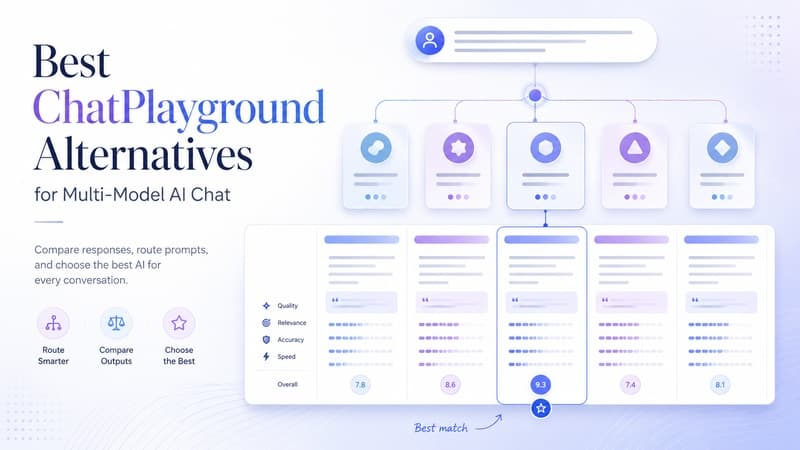
For difficult design choices, send the same problem and constraints to two models and compare the plans before you implement. Look for different assumptions, missing edge cases, simpler alternatives, and test ideas. The purpose is not to count votes. It is to widen the set of options you inspect.
A side-by-side process can be especially helpful when a task has several valid designs or when the first suggestion feels too broad. You can learn more about comparing answers in this practical model comparison framework, then apply the same discipline to coding plans. Keep the final choice tied to your codebase and tests.
How Meshub.ai Helps
Meshub.ai helps people discover AI tools and organize multi-model exploration around real work. For coding, that means you can treat model selection as part of a workflow: frame a task, compare plans when needed, implement a small slice, and review the result with clear criteria.
Use a workspace approach when switching between assistants would otherwise lose context. Keep the task brief, candidate plans, review questions, and final decision close together. The tool can accelerate exploration, but your repository, test suite, and engineering judgment remain the authority.
FAQ
How should beginners use AI for coding?
Start with explanations, small exercises, test ideas, and narrow changes. Ask the assistant to explain assumptions and review your understanding before accepting code you cannot yet evaluate.
Can AI write production-ready code by itself?
It may produce useful starting points, but production readiness depends on your codebase, tests, security requirements, runtime, and human review. Treat generated code as a proposal until it passes those checks.
What context should I give an AI coding assistant?
Give the goal, expected behavior, relevant interfaces or files, constraints, error output, and tests when available. Prefer the smallest context that lets the assistant reason correctly.
How can I reduce AI coding mistakes?
Use small diffs, request a plan first, define edge cases, run local checks, inspect every changed line, and ask for a focused review of risks instead of accepting a broad rewrite.
Should I compare coding answers from multiple AI models?
Compare them when the design is uncertain, the task is consequential, or the first plan has unexamined assumptions. Use comparison to find options and risks, then choose based on your repository and tests.