Published June 02, 2026 in Meshub.ai
How to Compare AI Models Side by Side

Share


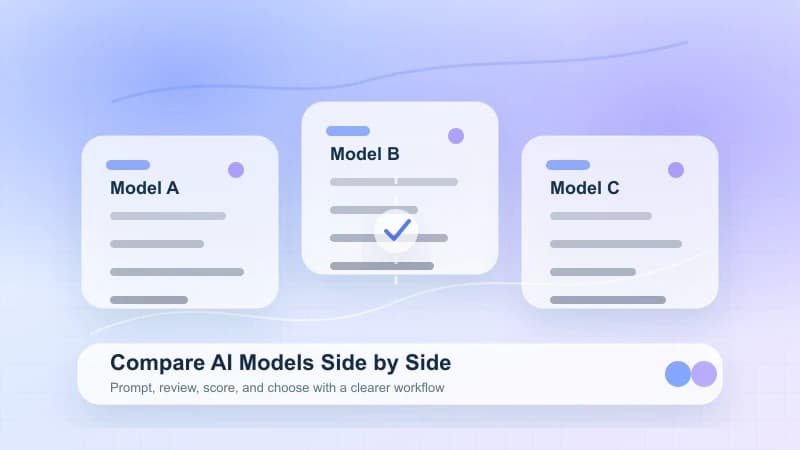
How to compare AI models well starts with structure, not guesswork. If you want reliable results, you need the same prompt, the same evaluation criteria, and a clear workflow for reviewing output quality, speed, tone, and usefulness. Whether you are choosing a model for writing, research, coding, or daily productivity, side-by-side testing helps you see practical differences that are easy to miss in isolated chats.
Key Takeaways
- Use the same prompt and context for every model.
- Judge models on real tasks, not abstract benchmarks alone.
- Score for quality, accuracy, tone, speed, and edit effort.
- Run multiple prompt types because one strong answer does not prove overall fit.
- A shared workspace makes it easier to compare AI models without losing context.
Why Side-by-Side Comparison Matters
If you only test one model at a time, it is easy to remember the strongest answer and ignore the tradeoffs. A side-by-side method gives you cleaner signal. You can see when one model is better at summarizing, another is better at structured reasoning, and another is better at concise execution.
This matters even more if you work across multiple tasks. A marketing team may care about tone control. A researcher may care about source handling. A product team may care about fast iteration inside a shared AI workspace. That is why learning how to compare AI models is less about finding one universal winner and more about matching a model to a job.
If you are still defining selection criteria, this guide pairs well with How to Choose the Best AI Model, which frames model choice around task fit rather than hype.
Step 1: Define the Job You Are Testing
Before you compare outputs, define the real-world use case. Otherwise, you end up rewarding answers that sound polished but do not help with the actual work.
Common use cases include blog outlining and drafting, customer support response generation, coding assistance, data explanation, research summarization, and meeting note transformation. For each use case, write down the user goal, the ideal output format, the acceptable error tolerance, and the level of human editing allowed. This keeps the comparison grounded in workflow value, not novelty.
Step 2: Use the Same Prompt and Context
The core rule of side-by-side testing is consistency. Every model should receive the same prompt, the same supporting context, and the same formatting constraints. Small changes can create misleading differences.
- Use identical prompt text.
- Keep temperature or creativity settings aligned when the tool allows it.
- Include the same background files or instructions.
- Ask for the same output format.
- Record the date and task type for each run.
If you compare models inside a multi-model AI platform, this process becomes much easier because you can keep prompts and outputs visible in one place.
Step 3: Score the Responses With a Simple Rubric
You do not need an elaborate benchmark to get useful results. A lightweight rubric is often better because teams will actually use it.
- Relevance: Did the answer address the actual request?
- Accuracy: Did the response avoid obvious errors or unsupported claims?
- Clarity: Was the answer organized and easy to act on?
- Instruction-following: Did the model respect length, tone, and format constraints?
- Reasoning depth: Did it explain tradeoffs rather than just listing points?
- Edit effort: How much manual cleanup is needed before publishing or sharing?
Use a 1 to 5 score for each category, then add a short note about why a model earned that score.
Step 4: Test More Than One Prompt Type
Many teams make the mistake of comparing models on a single prompt. That tells you almost nothing about long-term fit. A better method is to test a prompt set.
- A short factual question
- A long-form writing request
- A structured reasoning task
- A rewriting task with tone constraints
- A workflow prompt that includes multiple steps
This approach is especially useful if your work spans research and content. For example, an AI research workflow often needs one model for exploration and another for refinement.
Step 5: Compare the Full Workflow, Not Just the Output
The best answer is not always the most useful model. Sometimes the faster model with slightly weaker prose creates more productivity because it fits the workflow better.
- response speed
- consistency across reruns
- ability to follow formatting rules
- how well the model handles long context
- whether the interface supports multi-model AI chat
- how easily you can save, share, or reuse results
This is where AI tool comparison becomes practical. You are not only judging model intelligence. You are judging whether the surrounding environment helps your team work better.
A Practical Template for How to Compare AI Models
Use this simple evaluation sheet when you compare AI models:
| Test Area | What to Check | Why It Matters |
|---|---|---|
| Prompt match | Same wording and context | Prevents unfair testing |
| Output quality | Relevance, completeness, usefulness | Measures practical value |
| Accuracy | Errors, unsupported claims, contradictions | Reduces downstream risk |
| Structure | Headings, bullets, formatting | Improves usability |
| Tone control | Formality, brand fit, readability | Matters for publishing workflows |
| Speed | Time to first acceptable answer | Affects productivity |
| Edit effort | Cleanup needed before use | Shows real cost of adoption |
Common Mistakes When Comparing AI Models
- Comparing different prompts and treating the results as equivalent
- Testing only one task and assuming the winner generalizes
- Overvaluing eloquence over correctness
- Ignoring the interface and collaboration workflow
- Forgetting to document why one answer was preferred
A strong comparison process should be repeatable. If another teammate cannot rerun it and reach a similar conclusion, the method is too subjective.
How Meshub.ai Helps
Meshub.ai helps you discover models, compare tools, and explore multi-model workflows in a more organized way. Instead of bouncing between tabs, you can use a clearer starting point for AI model comparison, evaluate platforms based on actual use cases, and keep your research focused on workflow fit rather than noise.
FAQ
What is the best way to compare AI models for work?
The best method is to run the same real-world tasks across multiple models, score them with the same rubric, and review both output quality and workflow efficiency.
How many prompts should I use when comparing AI models?
At least three to five prompts is a good baseline. Use different prompt types so you can test factual answers, structured reasoning, rewriting, and longer-form generation.
Should I compare AI tools or AI models?
Usually both. A strong model inside a weak interface may slow you down, while a good multi-model workspace can make comparison and iteration much easier.
What should I measure besides answer quality?
Look at speed, consistency, formatting control, edit effort, collaboration support, and how well the model handles your specific workflow.
Can one model be best for every task?
Usually no. Different models often perform better on different jobs, which is why side-by-side testing is more useful than relying on a single general impression.
Meshub.ai helps users discover, compare, and explore the best AI tools and multi-model platforms in one place.